Alerts
Family Filter keeps an eye on its own parts, and tells you when something needs a parent: the child asking for a break, or a part of the setup not in place.

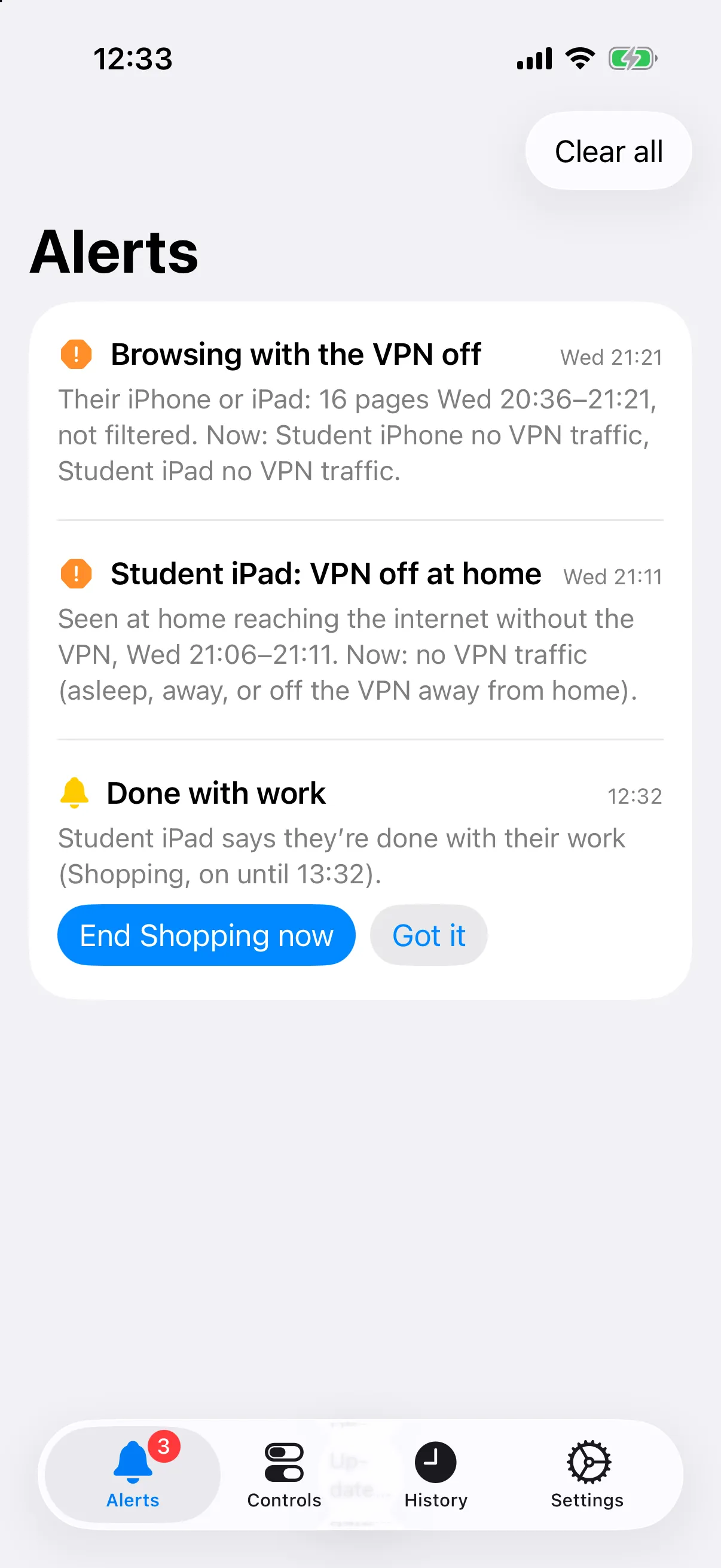
In Family Filter for Mac, alerts sit at the top of both tabs. On an iPhone they’re push notifications and Family Filter for iPhone’s Alerts tab:
What’s watched
Section titled “What’s watched”| Alert | How it’s noticed | Pushed to iPhones |
|---|---|---|
| “I’m done” / “Ask for more time” | A press on the Focus page | Yes |
| Filter switched off, all or one device | The off switches | Yes, with who |
| Filter not answering (failed open), and back | The watchdog | Yes |
| Certificate removed | Sites that decrypted start refusing it | Yes |
| VPN off at home | Seen directly by the Firewalla | Yes |
| Browsing with the VPN off | History compared with tunnel traffic | No: in the apps |
| History deleted | History Sync compares Chrome’s history | No: in Family Filter for Mac |
| A Mac not checking in | History Sync’s heartbeat is overdue, or a protection is off | No: in the apps |
VPN off
Section titled “VPN off”The VPN being off is watched two ways.
At home it’s seen directly, apps included. WireGuard remembers where each device last connected from. If that’s the home network and the device is reaching the internet itself while its tunnel is quiet, its VPN is off.
Anywhere, from history. Once a minute the watchdog notes which tunnels carried traffic. Both Family Filter apps compare that with the history: a page visited while that device’s tunnel was quiet was visited with the VPN off. Those pages get a VPN off badge in the timeline, and Only VPN off shows just them.
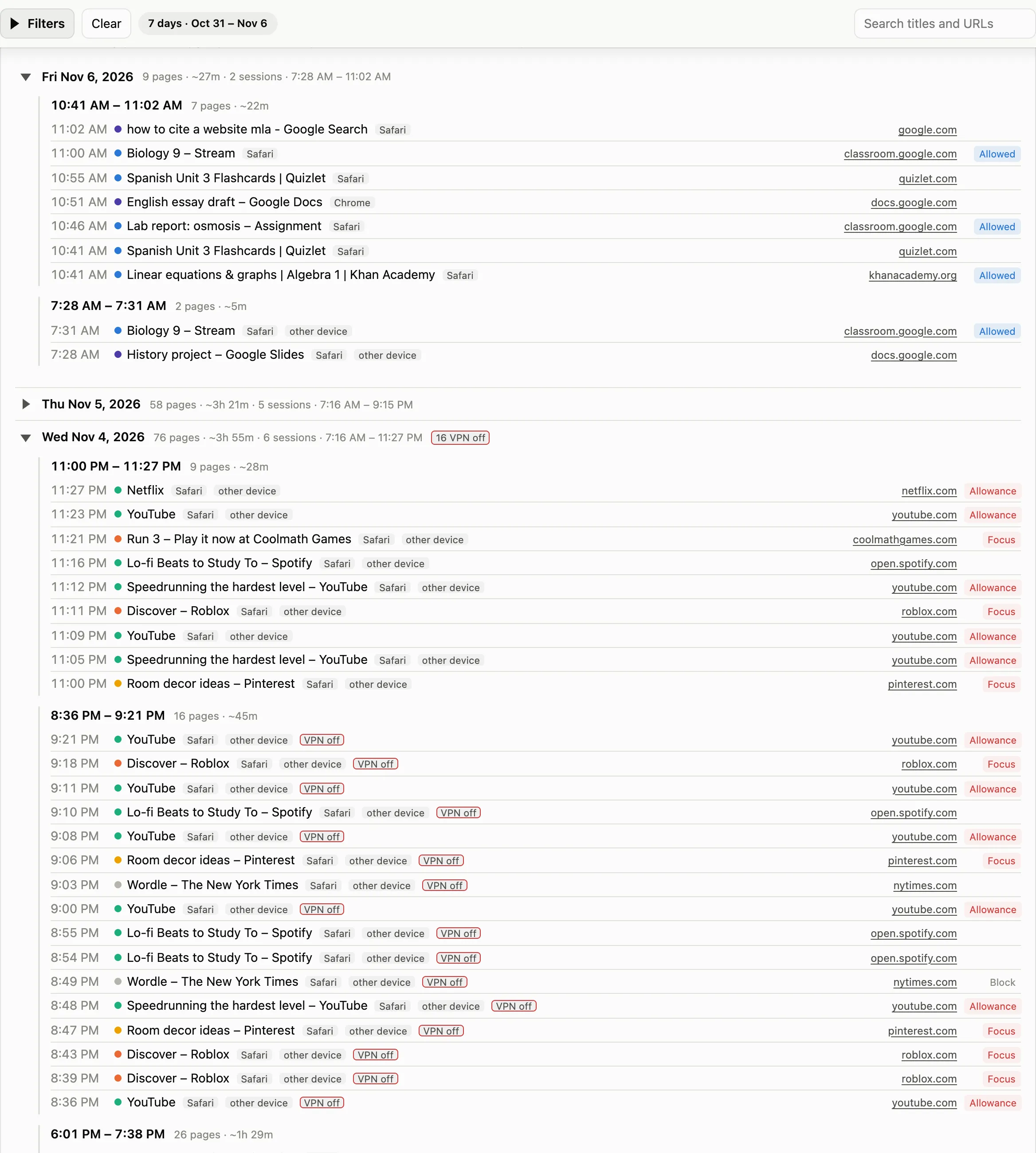
A device is judged from the time it was made always-on.
Certificate removed
Section titled “Certificate removed”If sites that decrypted recently start refusing the filter’s certificate, the device no longer trusts it: its profile was taken off. The filter marks the device and stops passing anything through for it, so its HTTPS fails rather than going round the filter. The first page that decrypts again clears the mark.
History deleted
Section titled “History deleted”
Each time History Sync runs, it compares Chrome’s history with what it saw last time. It reports:
- Visits deleted: recent visits it had already seen are gone (with a count).
- History cleared: all history was cleared.
- History file replaced: the file was deleted and recreated.
- History missing: a profile’s history file has gone.
The Chrome History Lock stops most deleting in the first place.
A Mac not checking in
Section titled “A Mac not checking in”History Sync rewrites a small status file after every check. It records whether the check worked, whether background sync, Full Disk Access and the Chrome lock are in force, and whether the child’s account is still a standard user. The CSVs only change when there are new visits, so without this a quiet Mac would look the same as a switched-off one.
Sources: filter/README.md,
sync/README.md