Focus Mode
Focus Mode blocks some sites only at certain times: during school, homework or bedtime, or right now on demand. It’s run from the Focus tab in Browsing History, and from the Controls tab in Family Filter for iPhone. The filter applies the schedule by its own clock, so it works while the apps are closed.
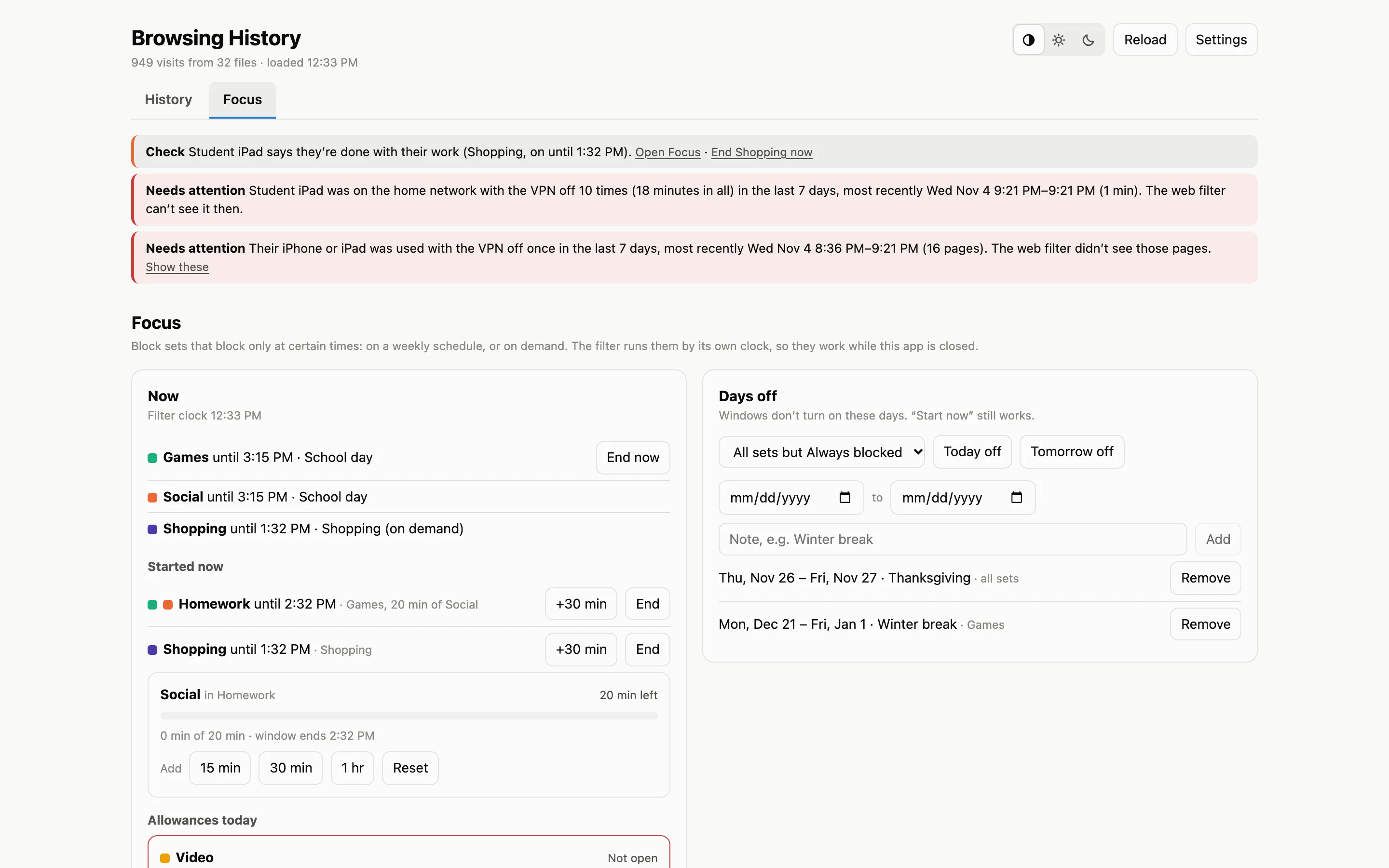
Three things
Section titled “Three things”- Block sets: named lists of sites and pages, such as Games, Social or Video.
- Windows: named times, such as School day or Homework, each applying a rule to each set.
- Days off: dates when windows don’t turn on.
Block sets
Section titled “Block sets”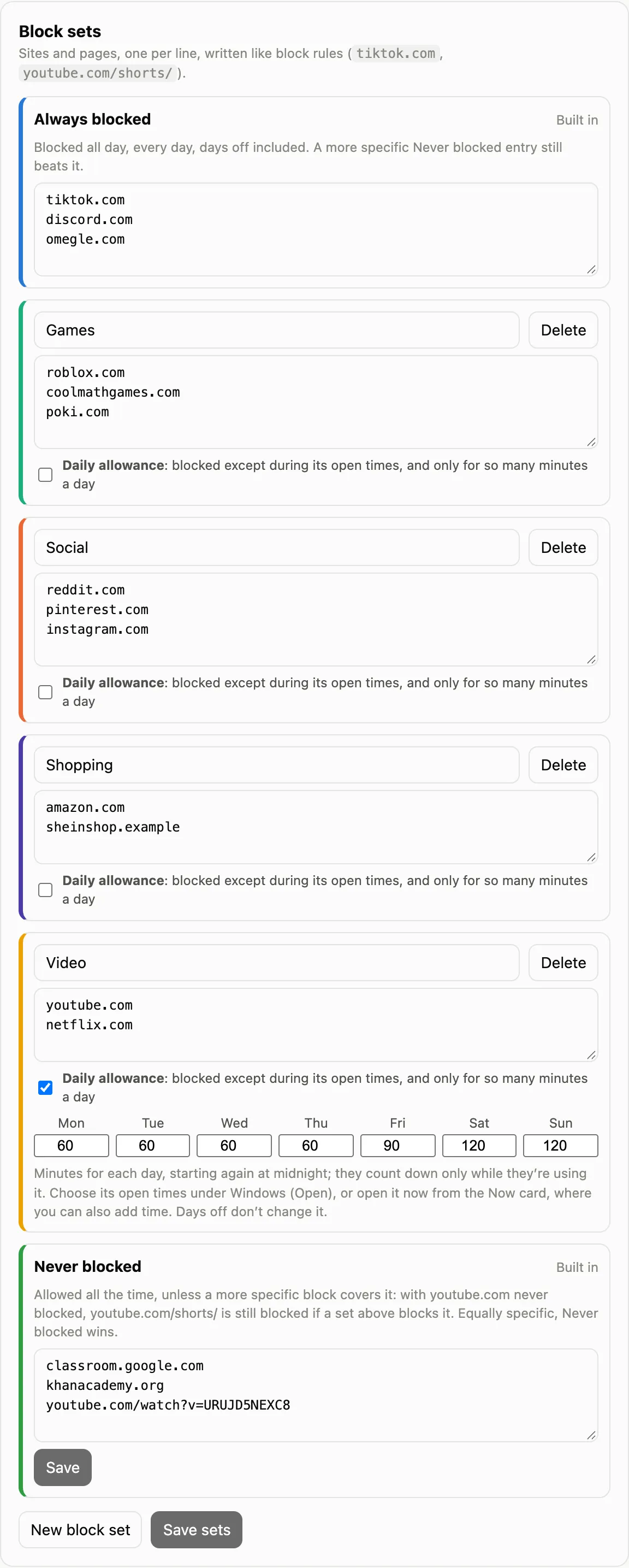
One site or page per line, written like block rules.
- Always blocked is built in: blocked all day, every day, days off included. Its sites can be changed, but it can’t be deleted or started on demand.
- Never blocked is built in too. A more specific block still beats it.
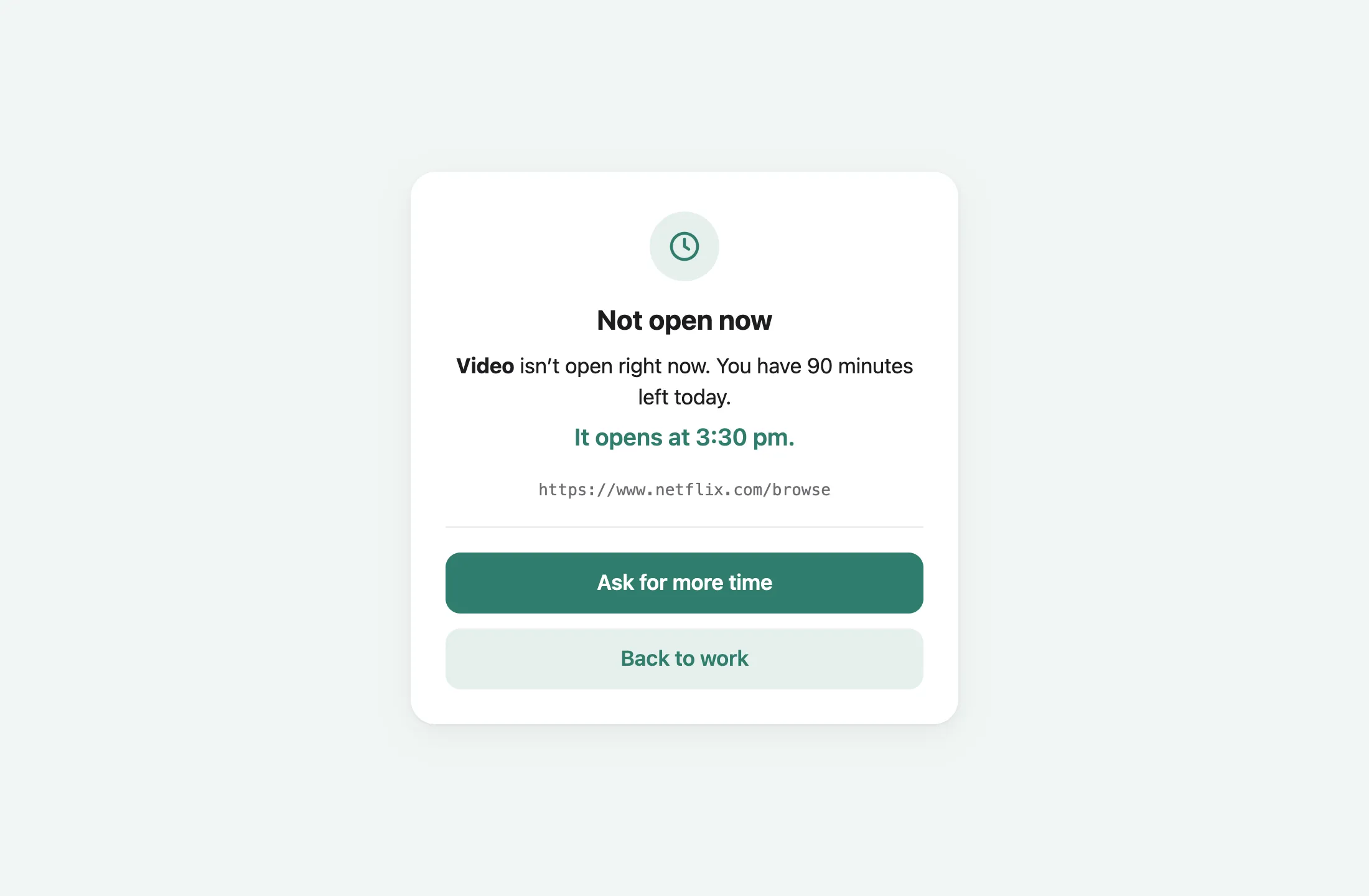
- Daily allowance turns a set the other way round. It’s blocked except during its open times, and only for so many minutes a day (afresh each midnight).
Windows
Section titled “Windows”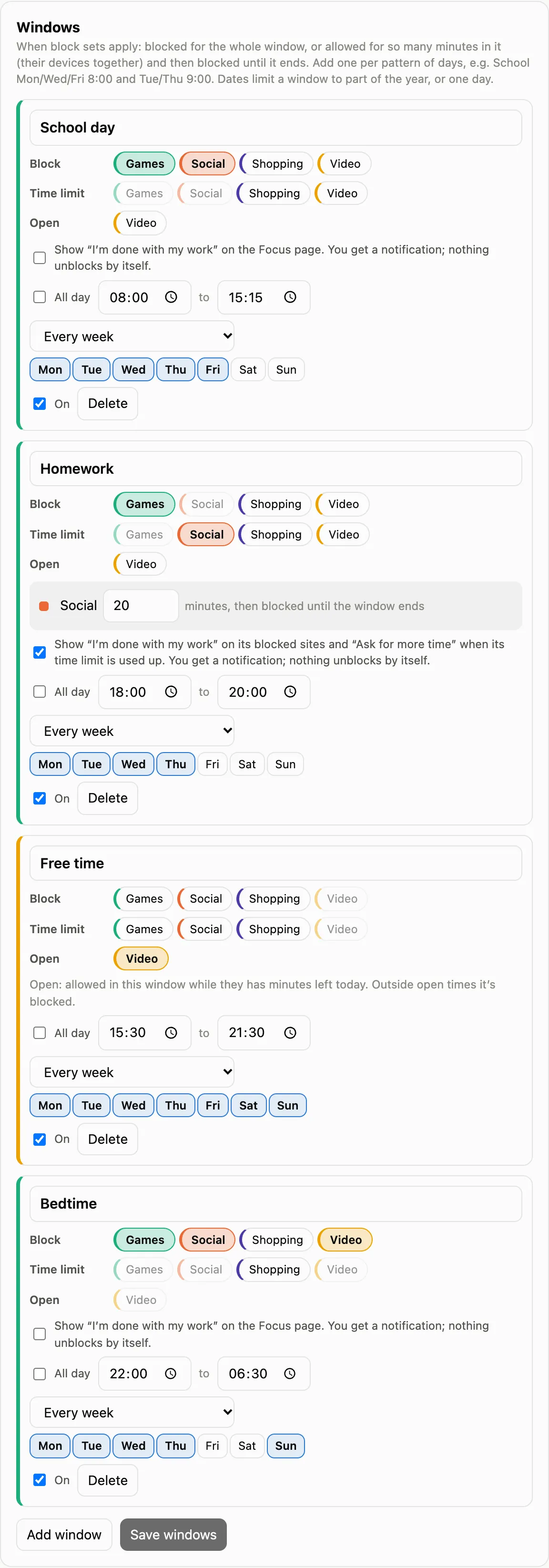
A window has days and a start and end time (or all day), and a rule for each set:
| Rule | What it does |
|---|---|
| Block | Blocked for the whole window |
| Time limit | Allowed for so many minutes in the window, across the child’s devices together, then blocked until it ends |
| Open | An allowance set’s open time: allowed while the child has minutes left today |
- An end before the start runs past midnight, as Bedtime does here.
- Every week, or only between two dates (the same date for both is a one-off).
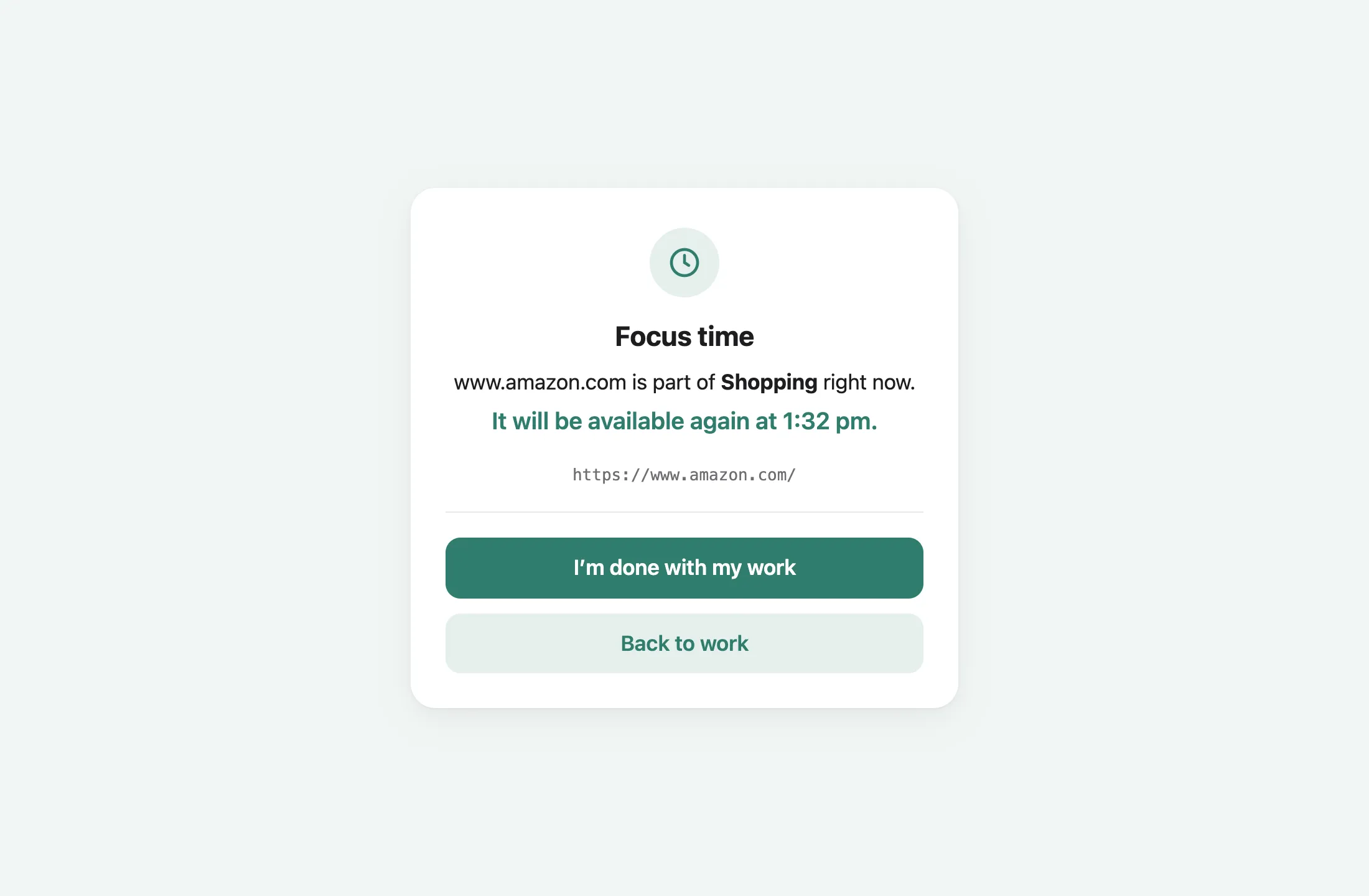
- Show “I’m done with my work” puts a button on the Focus page. Pressing it sends you a notification and unblocks nothing.
The calendar
Section titled “The calendar”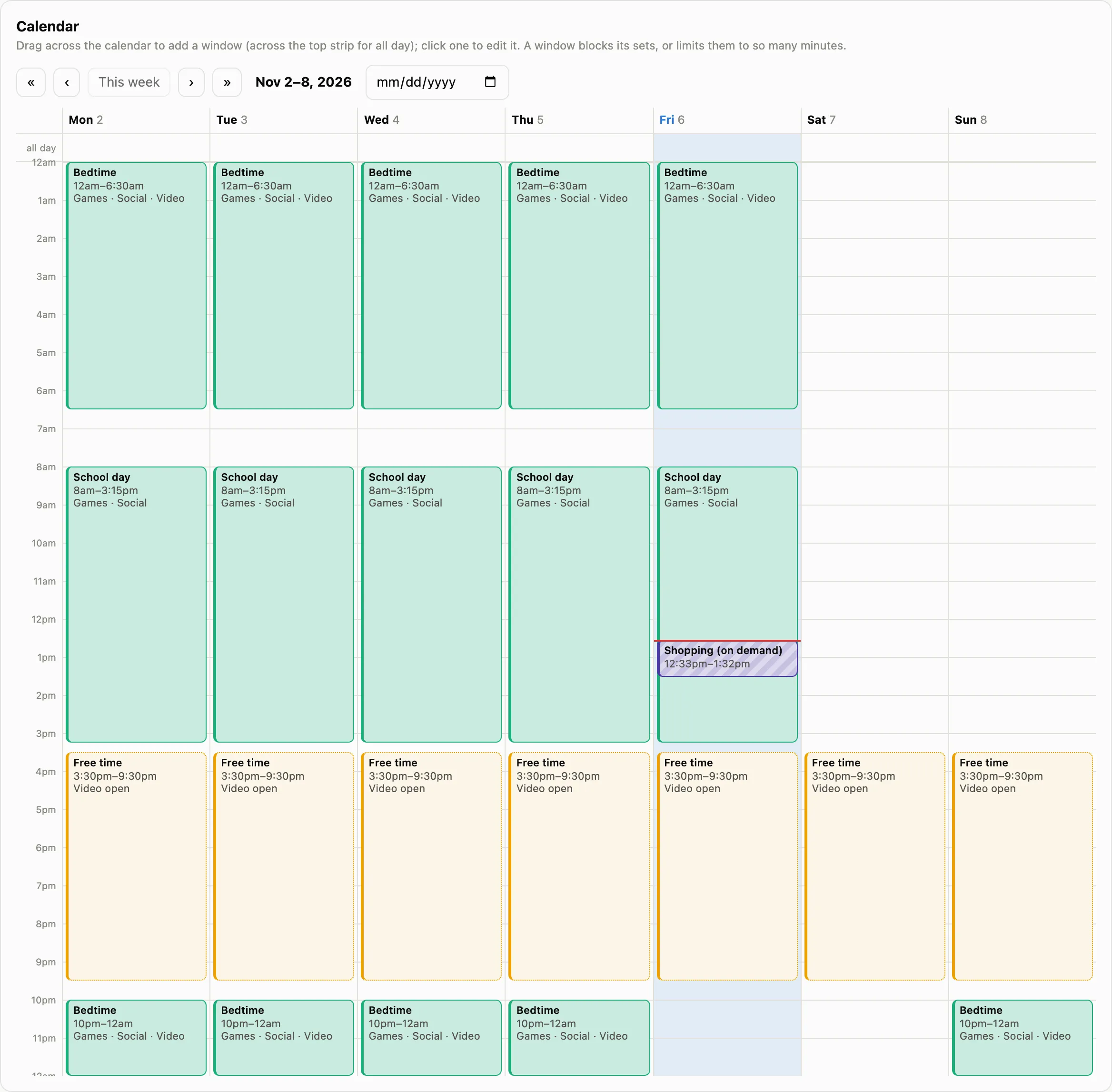
The week at a glance. Drag across it to add a window, or click one to edit it.
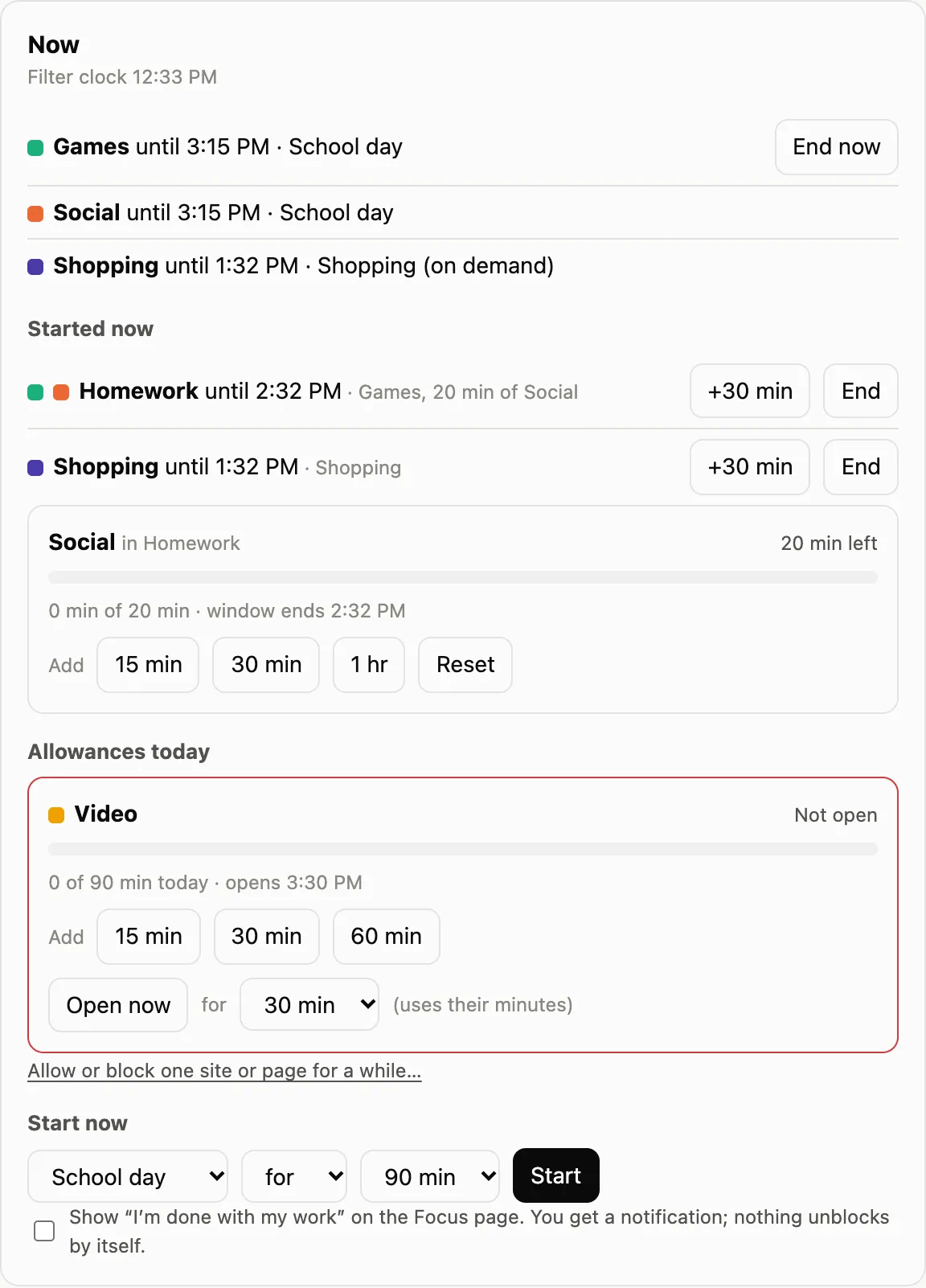
- What’s blocking now, with when each ends and End now.
- Started now: windows started on demand, with +30 min and End.
- Time limits on now: minutes used and left, and Add or Reset.
- Allowances today: minutes used and left, Add time for today, and Open now for a while (that time still comes out of the allowance).
- Start now: a window’s rules, or chosen sets, for some minutes or until a time. It ignores days off and goes once it ends.
- Allow or block one site or page for a while: a temporary exception.
Ending a scheduled window skips it until that run would have ended. It’s back at its next time.
Days off
Section titled “Days off”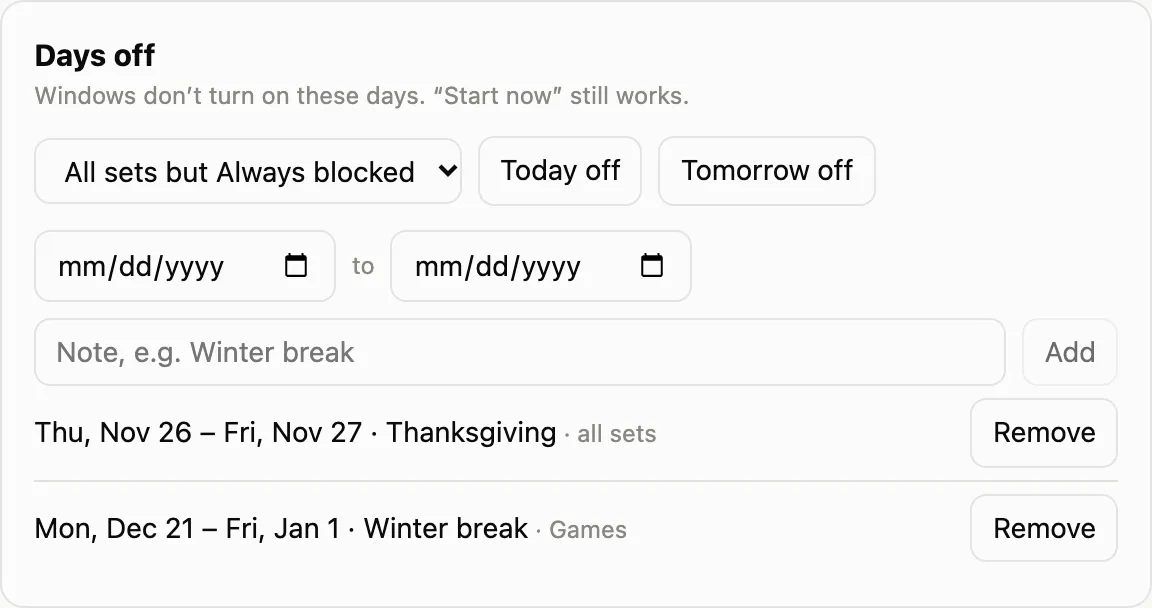
A date or a range, for every set or only some. Days off skip windows only. They never lift Always blocked, and they don’t change allowances.
What the child sees
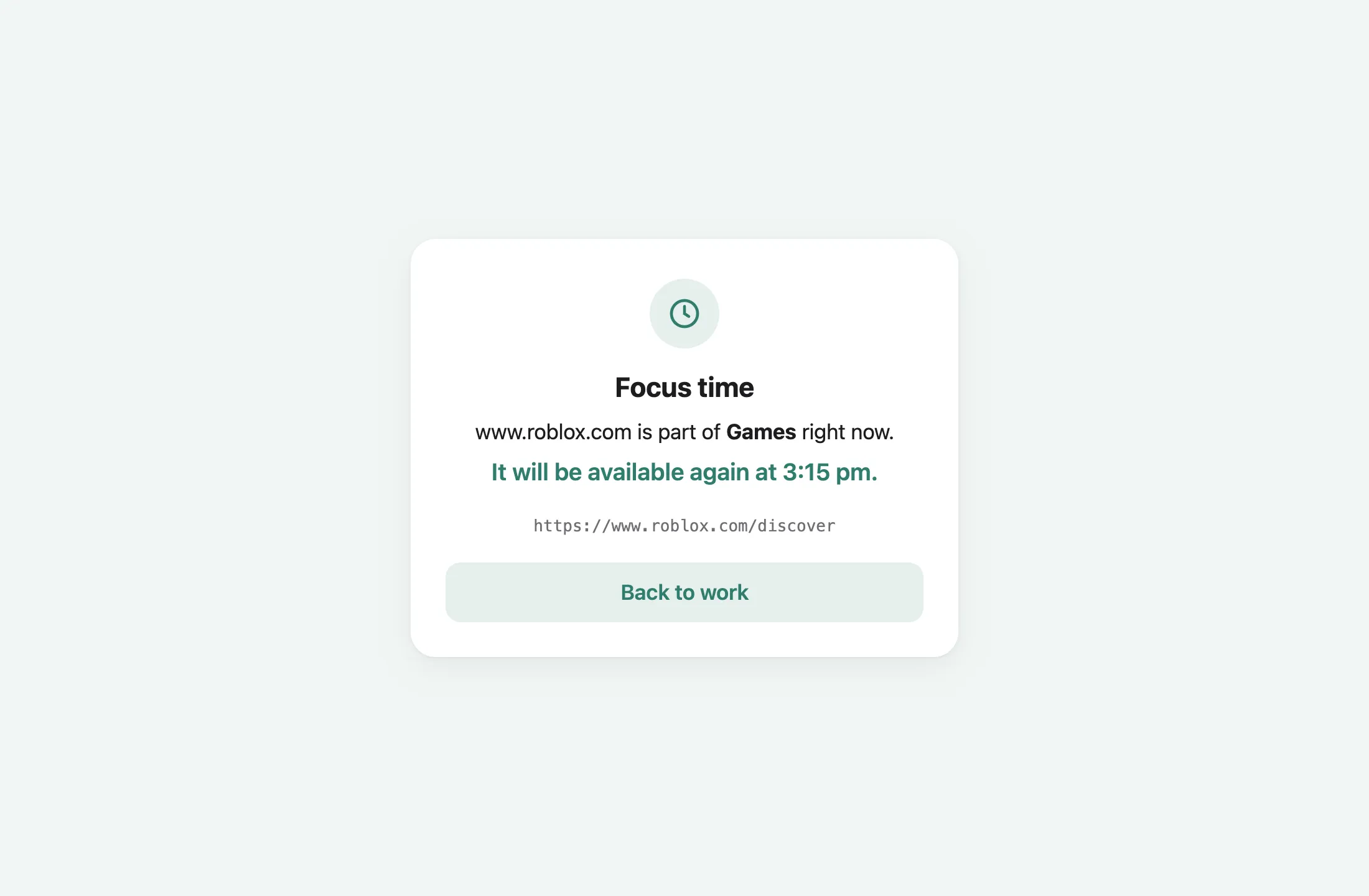
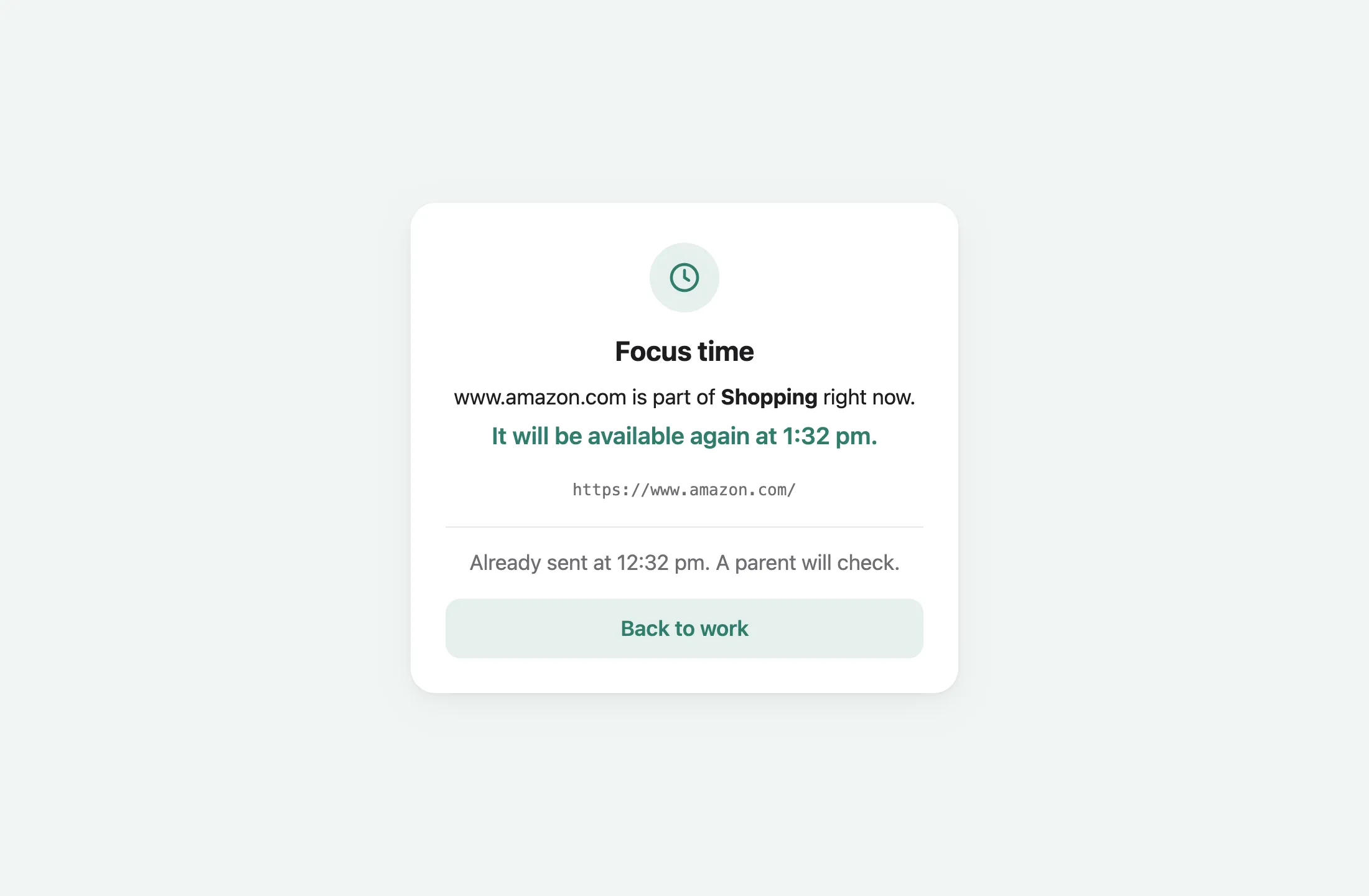
Section titled “What the child sees”A page blocked by Focus gets a gentler page than an ordinary block, saying when it’s available again:
Where the window has the button turned on, the child can say they’re done:
An allowance set that’s closed, or used up for the day, says when it opens, with Ask for more time:
“I’m done” presses
Section titled ““I’m done” presses”
Presses arrive as a notification on the parents’ iPhones and in Family Filter for Mac, with:
- End … now: lets the child off. It ends the window the press came from.
- Got it: acknowledges the press and changes nothing.
“Ask for more time” presses work the same way, with Give more time.
Source: filter/README.md
(Focus Mode, and the /api/focus routes)