The Firewalla
Everything on the Firewalla is installed from a parent’s Mac with the repo and
ssh firewalla set up. Each piece has its own install script and can be
updated without touching the others.
| Script | Installs |
|---|---|
filter/scripts/install.sh |
The URL filter: its container, add-on, watchdog and startup hook |
filter/scripts/history-install.sh |
The history service |
filter/scripts/notify-install.sh |
The notifier (--env installs its Apple push key) |
filter/scripts/tailnet-install.sh |
The tailnet container, for away from home |
filter/scripts/homecheck-install.sh |
The home check |
filter/scripts/firewalla-check.sh |
Nothing: checks every installed file against the checkout, and which services still run older code |
The URL filter
Section titled “The URL filter”- The container runs
mitmproxy/mitmproxyin transparent mode with the add-on, using host networking (containers with their own network don’t start on this Firewalla). Firewalla’sdocker-compose@urlfilterservice runs it. - The watchdog adds the firewall rules: the child’s devices’ TCP 80 and 443 go to the filter, and QUIC (UDP 443) is refused so browsers fall back to TCP. It puts them back after Firewalla rebuilds its firewall.
- The startup hook in
~/.firewalla/config/post_main.d/brings it all back after a reboot. - The certificate authority lives in
/data/urlfilter/mitmproxy/. Its private key never leaves the Firewalla.
All under /data/urlfilter/state/:
| File | What |
|---|---|
clients.txt |
Devices filtered: ip name per line. Empty means nothing is filtered |
devices.txt |
The child’s WireGuard devices: `ip mac |
focus.json, allow.json |
Focus Mode, and never blocked |
passthrough.json |
Hosts not decrypted, by hand and automatic |
paused.json, device_off.json |
The off switches |
failopen.json |
Written by the watchdog when the filter isn’t answering |
tunnel/<date>.txt |
Each minute, which tunnels carried traffic (90 days) |
log/<date>.jsonl |
Page loads and blocked requests (90 days) |
api_token, tokens.json |
Family Filter for Mac’s API token, and one per parent phone (as hashes) |
Adding a device
Section titled “Adding a device”Do this after the device trusts the filter’s certificate. Otherwise every HTTPS site fails on it until it does. See the child’s Mac and iPhone and iPad.
ssh firewalla 'echo "<tunnel address> <device name>" >> /data/urlfilter/state/clients.txt'Within 20 seconds the watchdog sends it through the filter and cuts its open
connections. To watch it for VPN-off use too, add a line to devices.txt:
<tunnel address> ios from=<YYYY-MM-DDTHH:MM, now> <device name>Edit both files in place as the pi user, so they stay owned by it.
Checking it
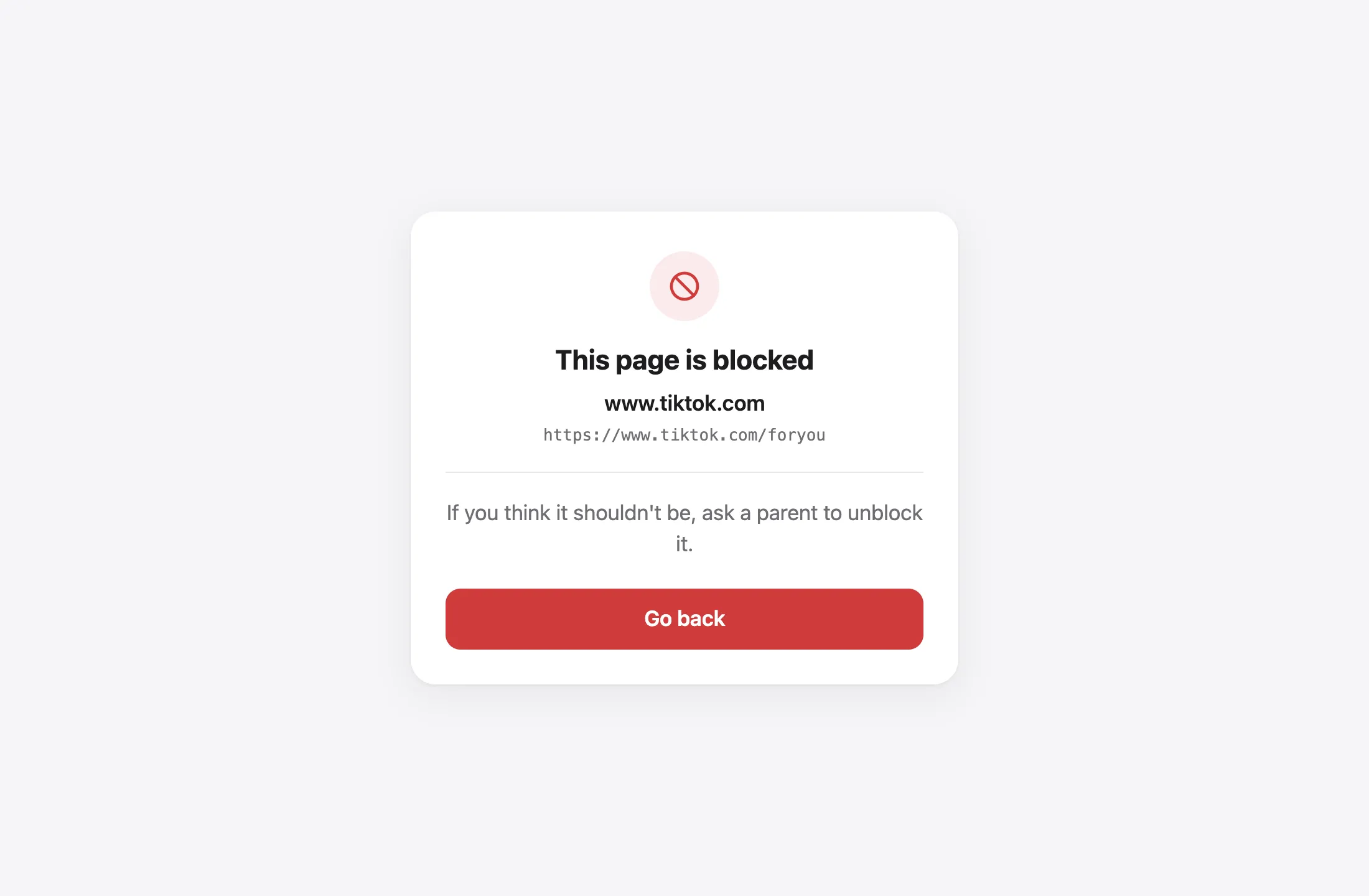
Section titled “Checking it”From the child’s device, a blocked site shows the filter’s page:
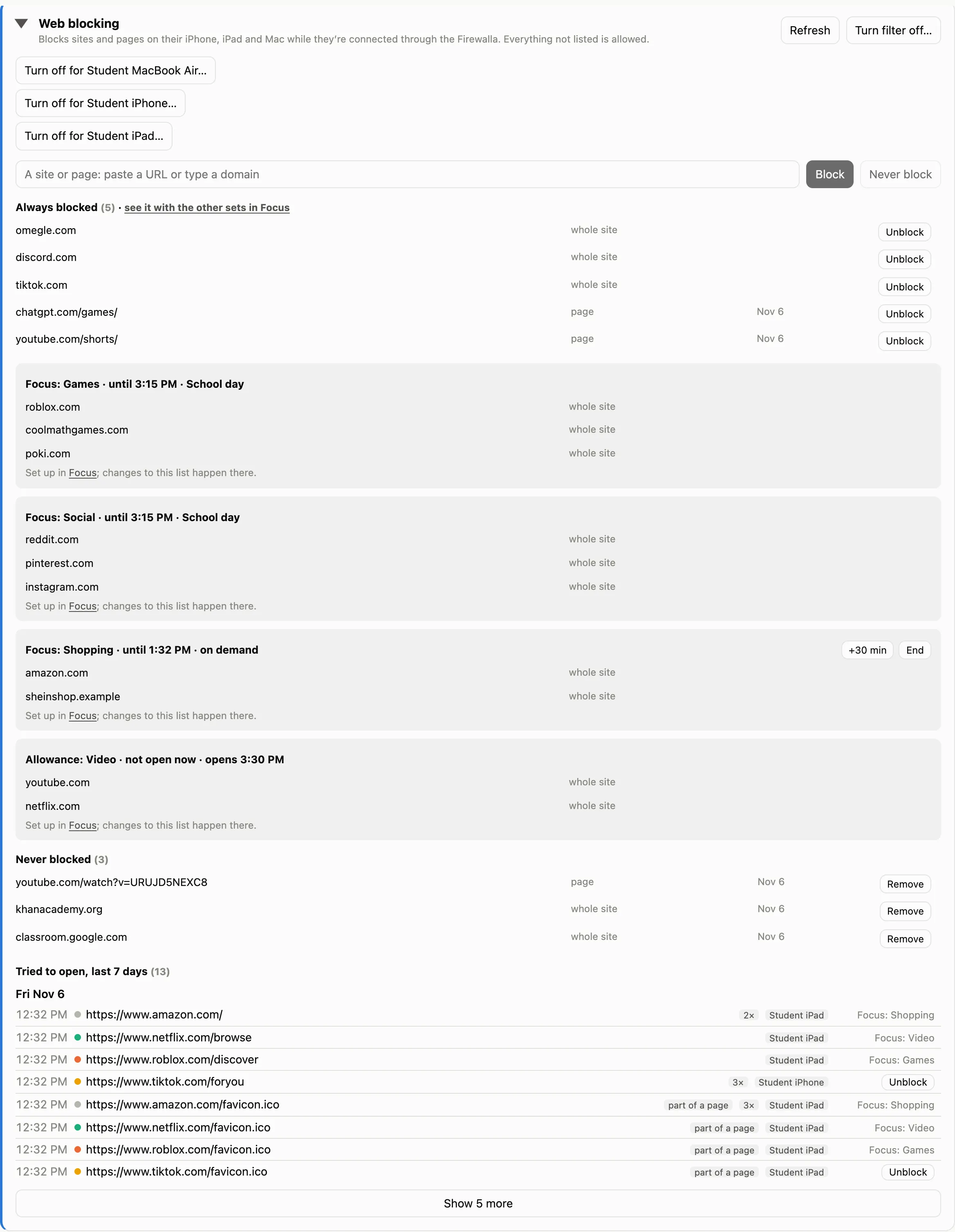
And in Family Filter for Mac, the Web blocking card shows what was tried:
firewalla-check.sh confirms every installed file matches the checkout.
Source: filter/README.md